Security policy
Require two-factor authentication and tune session lifetimes for your whole organization.
Organization-wide security lives under Organization → Security. These settings apply to every member.
Only organization owners and admins can change the security policy. Other members see it read-only.
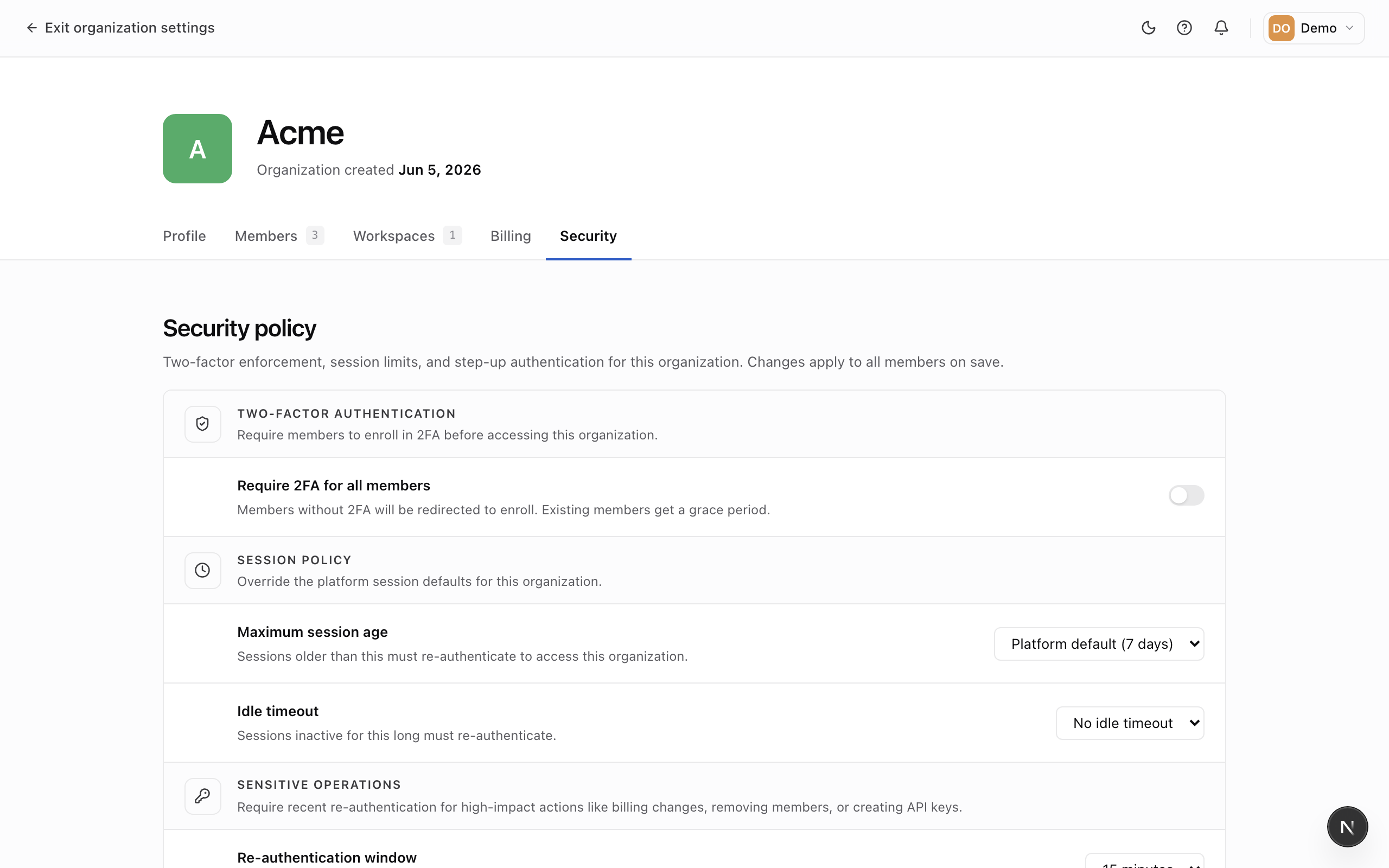
Require two-factor authentication
Turn on Require two-factor authentication to mandate a second factor for everyone in the organization.
Existing members get a grace period (which you set, in hours) to enable it. During the grace period they're reminded; once it passes, members without two-factor are sent to set it up before they can continue. You can track who's compliant on the Members page.
Session lifetimes
Tune how long sessions stay valid:
- Maximum session age — how long a session lasts before re-authentication is required.
- Idle timeout — how long an inactive session stays valid.
- Sensitive-action freshness — how recently a member must have signed in before high-impact actions (like managing members or keys) ask them to confirm their password again.
Shorter windows are more secure but ask members to sign in more often. Leave them unset to use Mercel's defaults.