Profile
Update your name and sign-in email, change your password, and close your account.
Your account settings live under Account → Profile and apply across every organization and workspace you belong to.
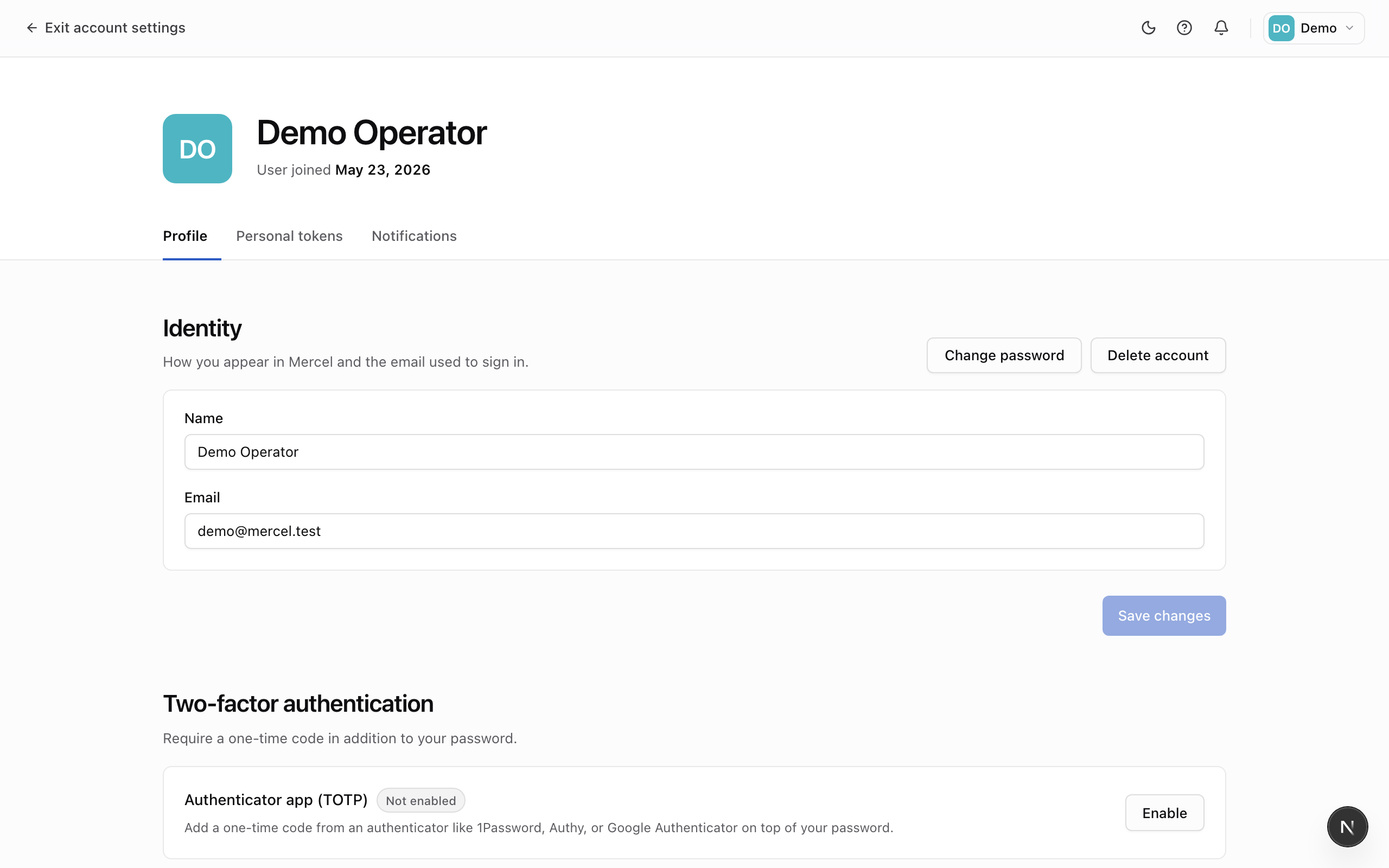
Update your name and email
Edit your display name or sign-in email in the Identity card and click Save changes.
Changing your email doesn't take effect right away — we send a verification link to the new address and keep your current email active until you click it. Until then, the new address shows as pending beneath the field.
Change your password
- Click Change password in the Identity header.
- Enter your current password and a new one (at least 8 characters, with one number or symbol).
- Save.
Changing your password signs out every other session, so you'll need to sign in again everywhere else.
Delete your account
- Click Delete account in the Identity header.
- Type your email to confirm.
Deleting your account removes you from every organization you belong to and can't be undone. If you own an organization, transfer ownership first.